Product Overview
Everything in One Window
From Agent creation, settings, decisions, execution, and human intervention to project binding, file preview, and review management - all visible in one place.
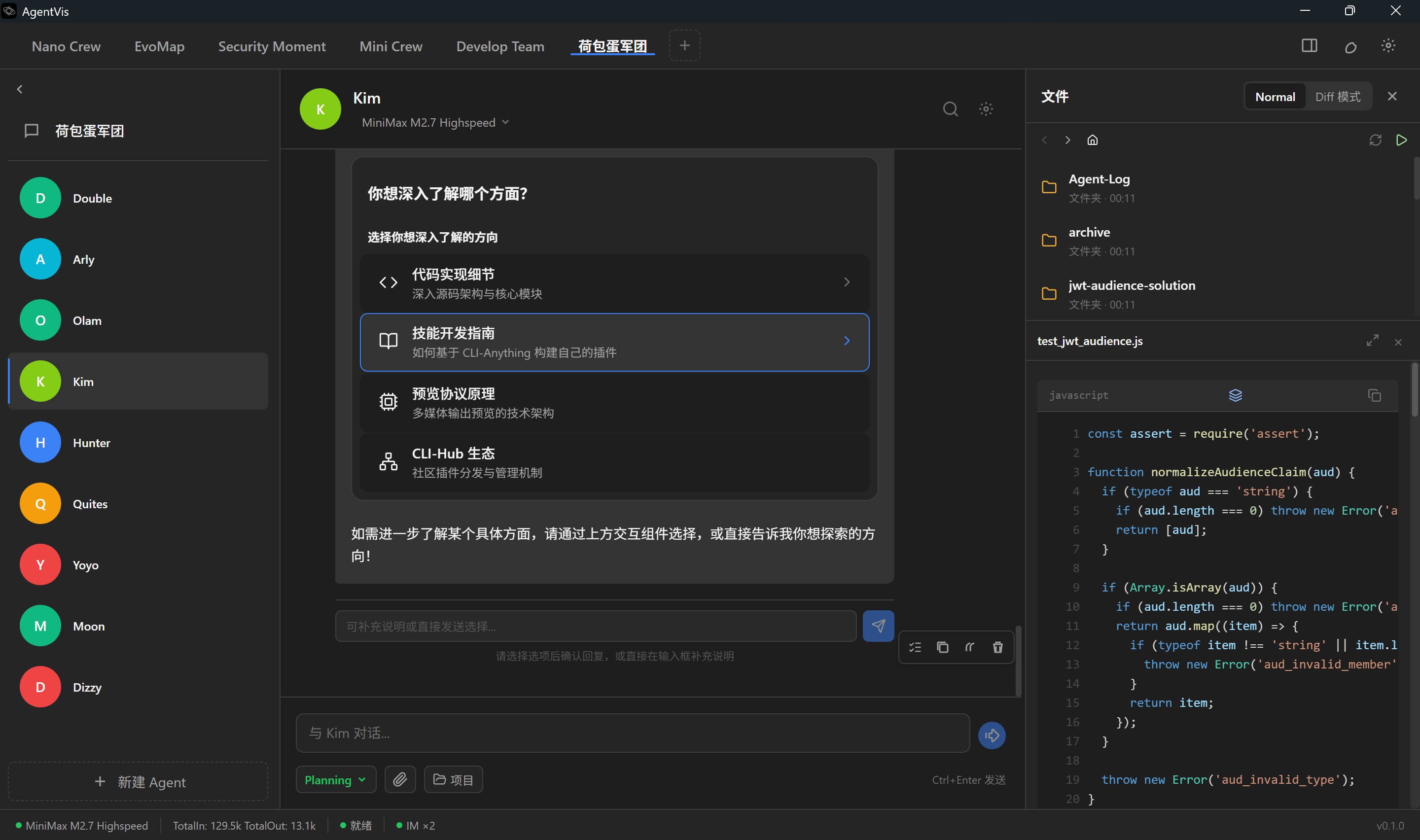
AgentVis is an easy-to-use, efficient, and governable AI Agent runtime platform.
Multi-agent collaboration · Five-layer security · Sandboxed execution · Visual interaction.
Closed-loop engineering for full-chain Autonomous Agency
Master Brain focuses on decision-making and planning while Sub-Agents execute in loops under Checkpoint supervision. An FSM-driven task loop and Loop Governor controls keep execution bounded.
From prompt-level soft constraints and TypeScript tool interception to Rust hard blocking, sandbox audits, and recoverable deletion through Trash Bin, AgentVis builds a continuous defense chain.
Automatically upgrades text replies into ECharts charts, Mermaid flowcharts, and interactive Widgets so data becomes easier to understand.
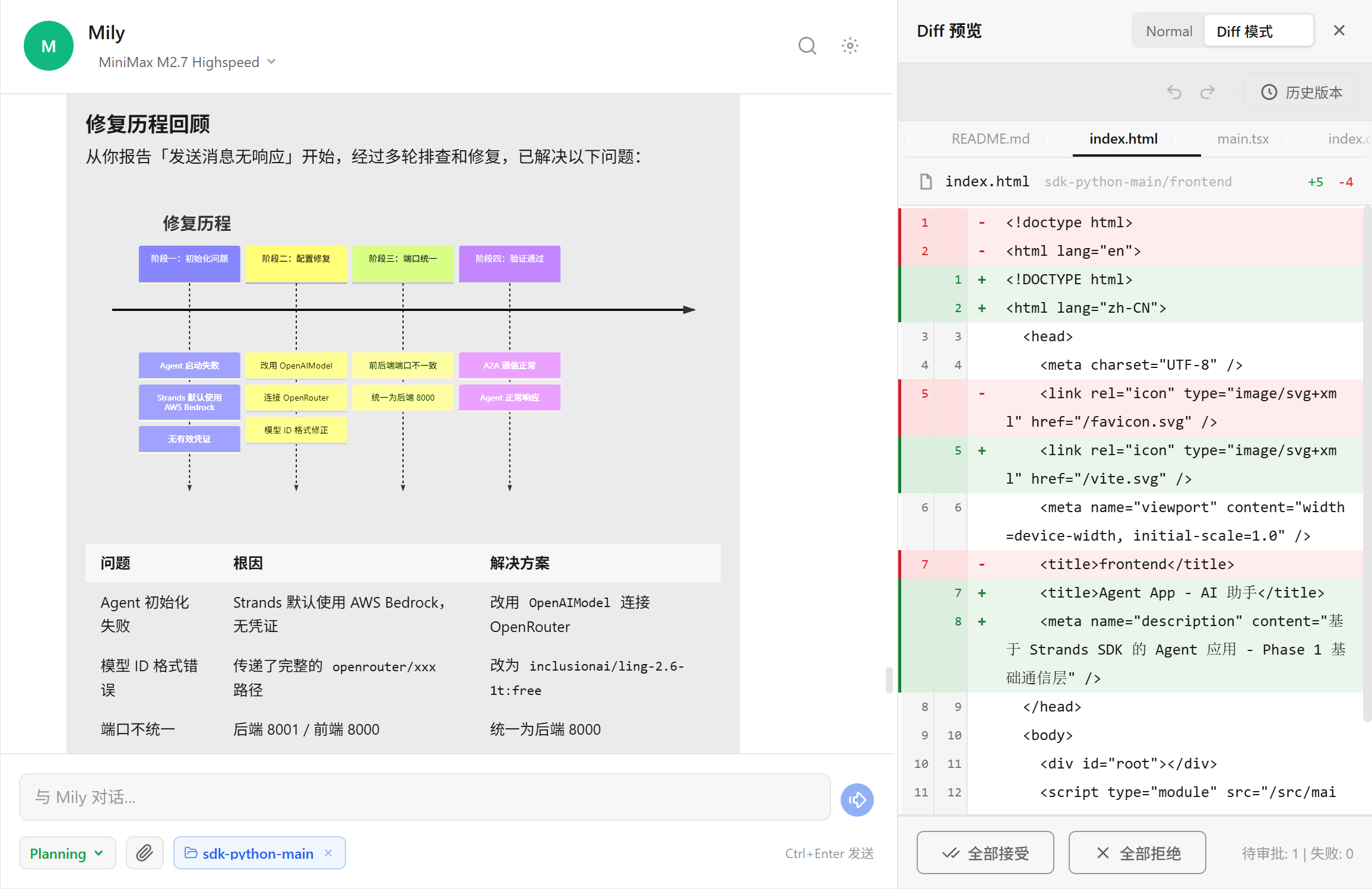
The Myers Diff algorithm works with four levels of content matching - exact, normalized, fuzzy, and semantic - Review block by block, accept or reject everything, and roll back snapshots.
An embedded Vite Dev Server previews frontend projects generated by Agents instantly. Windows Junction enables zero-cost dependency sharing without leaving the app.
Send tasks to Agents through Feishu or Slack, watch reasoning progress in message cards, and stop execution at any time with the Stop Task button.
AgentVis assumes Agents may drift and builds brakes into the system early. Five-layer defense in depth spans soft constraints, hard blocking, runtime sandboxing, and recoverable deletion, with a clear interception boundary at every layer.
Master Brain, Checkpoint, and Sub-Agent constraints form three LLM safety layers. Safety Footer adds behavioral self-checks, and Loop Governor provides five-level circuit breaking.
Tools are authorized by risk level. High-risk exec calls must pass Checkpoint approval, with precise allowlist and denylist matching.
High-risk operations such as deleting system files, changing permissions, modifying environment variables, or formatting disks are fully blocked, with dangerous scripts scanned before execution.
Job Object, AppContainer, broker/proxy, and direct-audit work together to add runtime boundaries and audit trails for shell and Skill execution.
Deletion is rewritten as a move to Trash Bin and can be restored within 30 days, reducing the blast radius of irreversible mistakes.
crypto/keystore.rs and stored in Windows Credential Manager. They are not passed through URLs
and are redacted and audited by the sandbox.
AgentVis sandboxing is not a single switch. It is a runtime security layer across commands, processes, files, network access, and audits. Different tasks can use different permission levels: practical by default, tighter for high-risk work, and auditable when network access is needed.
The TS tool layer classifies risk quickly, while the Rust command layer provides final validation. Dangerous commands, protected paths, and risky script APIs are blocked or require confirmation before execution.
HTTP(S) tasks preferentially enter the broker/proxy audit path. Script Skills can declare brokerOnly for fail-closed networking, while non-HTTP(S) access goes through precise direct-audit authorization.
SandboxAuditEvent records the mode, network policy, matched rule, decision result, and redacted target information, turning security failures from "blocked" into "understood".
Best for everyday Agent work, local automation, and browser tasks. It is not limited to one workspace and includes multiple defense and audit constraints: system and custom path protection, denylisted command interception, high-risk command blocking, and safe moves to Trash Bin.
Operates in local file space by default and grants Agent-browser CDP Runtime permissions. It inherits the multiple defenses of Local Audit. HTTP(S) traffic is preferentially routed through broker/proxy for security auditing, and any required direct connection must be explicitly authorized.
Uses AppContainer containerized execution with strict file boundaries and hard network disconnection. It blocks direct network access and all operations outside the workspace, and strictly forbids desktop automation control. It is ideal for untrusted scripts and high-risk tasks.
From Agent creation, settings, decisions, execution, and human intervention to project binding, file preview, and review management - all visible in one place.
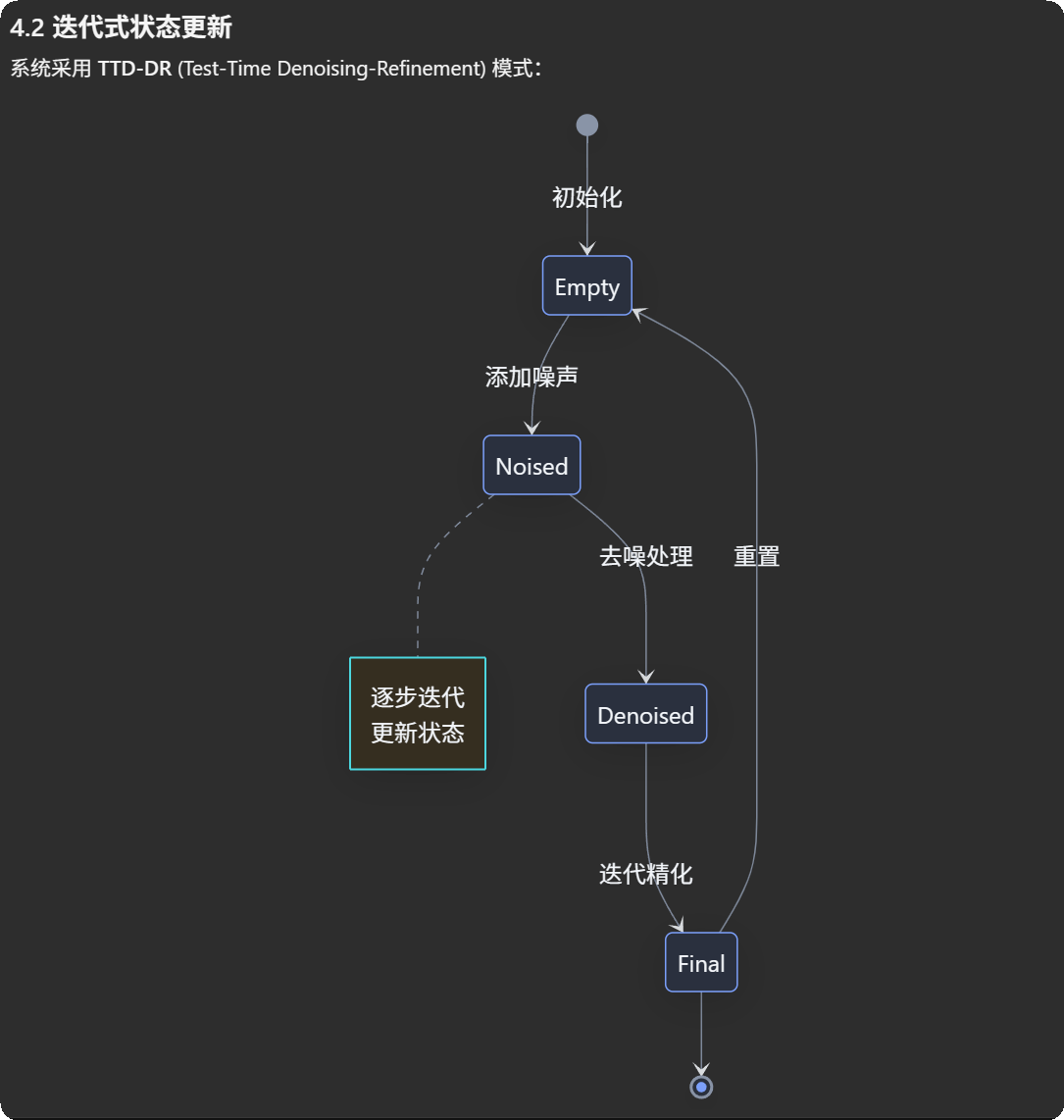
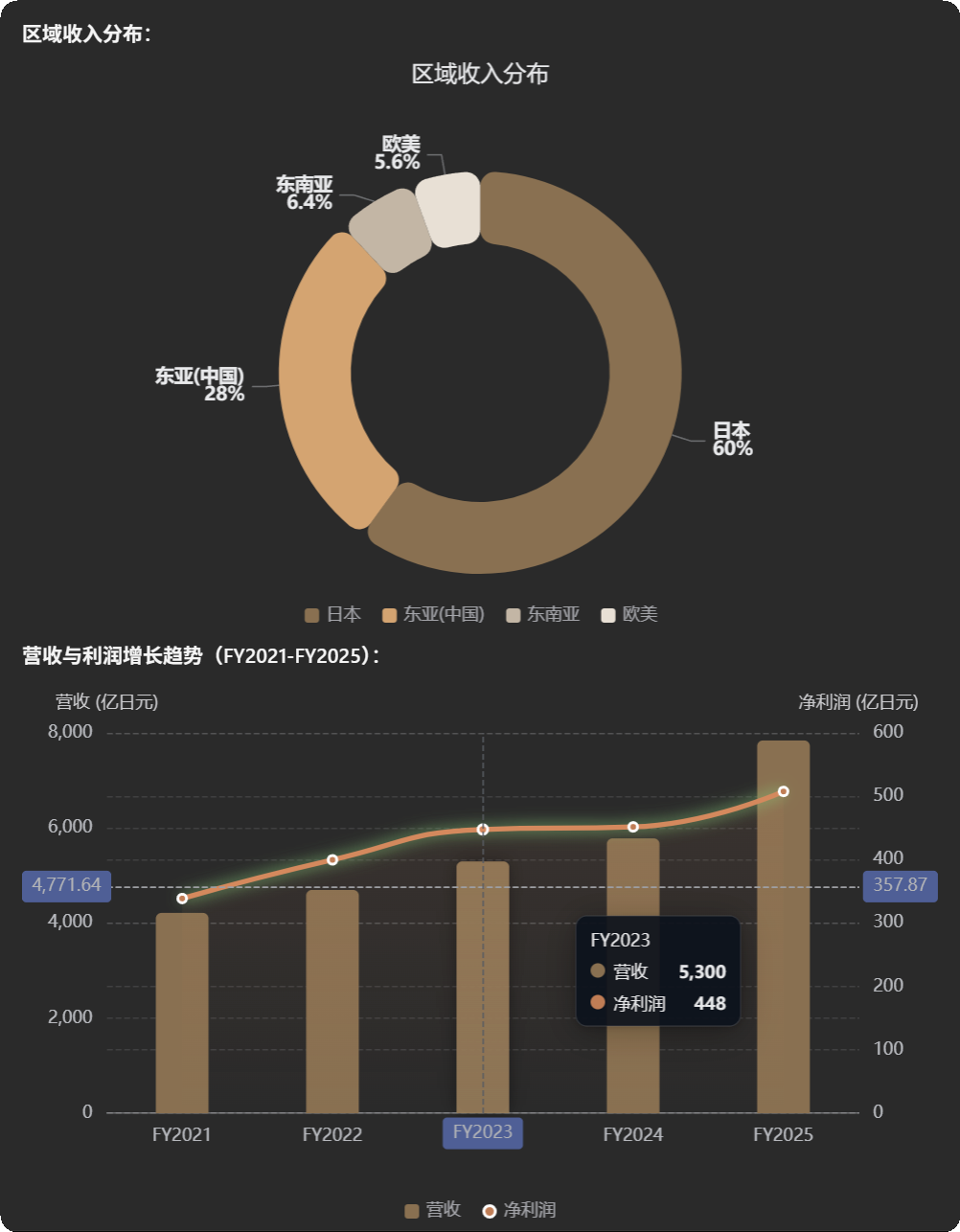
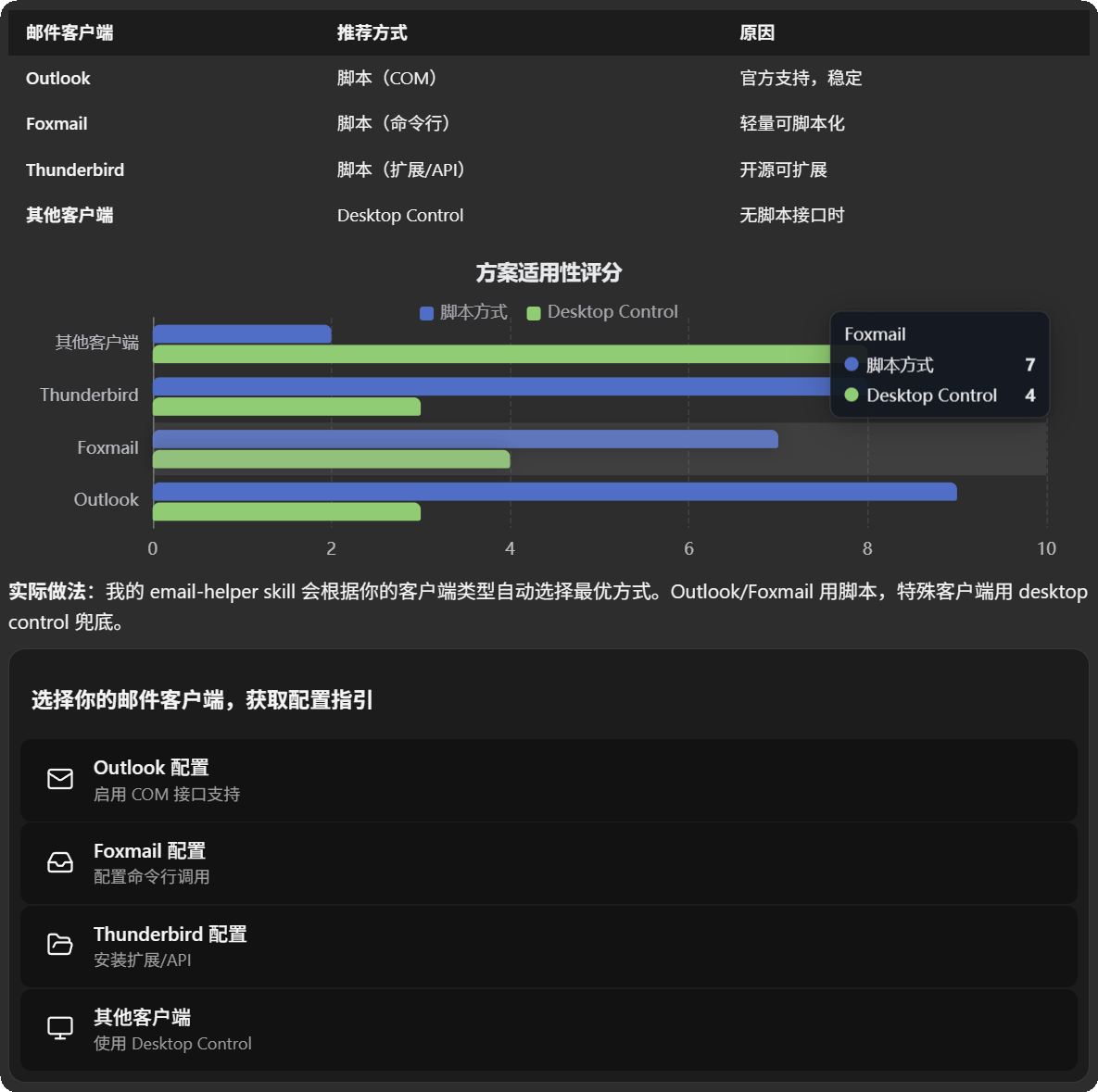
The Visual Enhancer post-processing layer automatically detects data patterns in Agent replies - percentages, trends, flows, and comparisons - and turns plain text into ECharts charts, Mermaid flowcharts, and interactive Widget components, making results more visual, reducing information-density fatigue, and improving understanding and decision support.
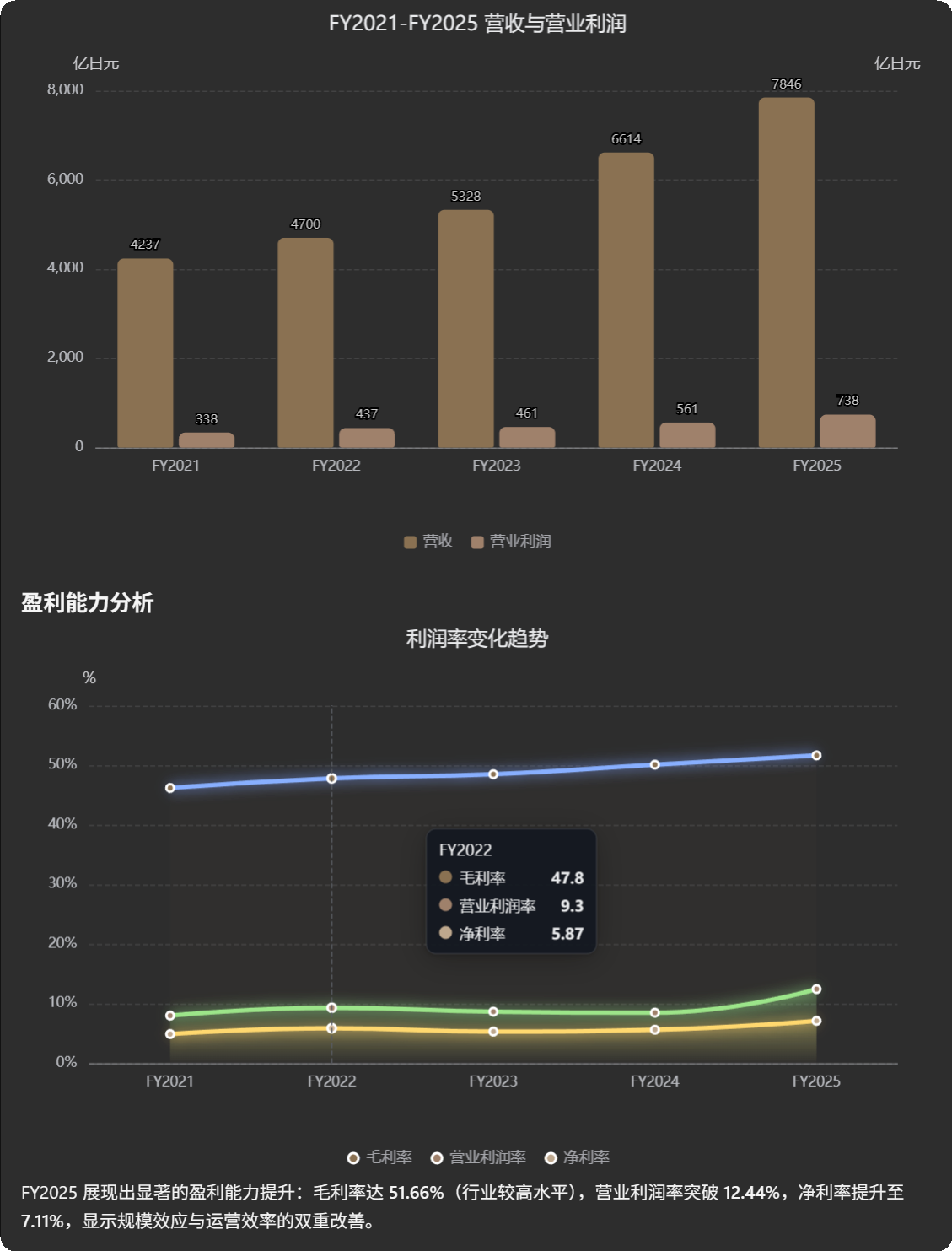
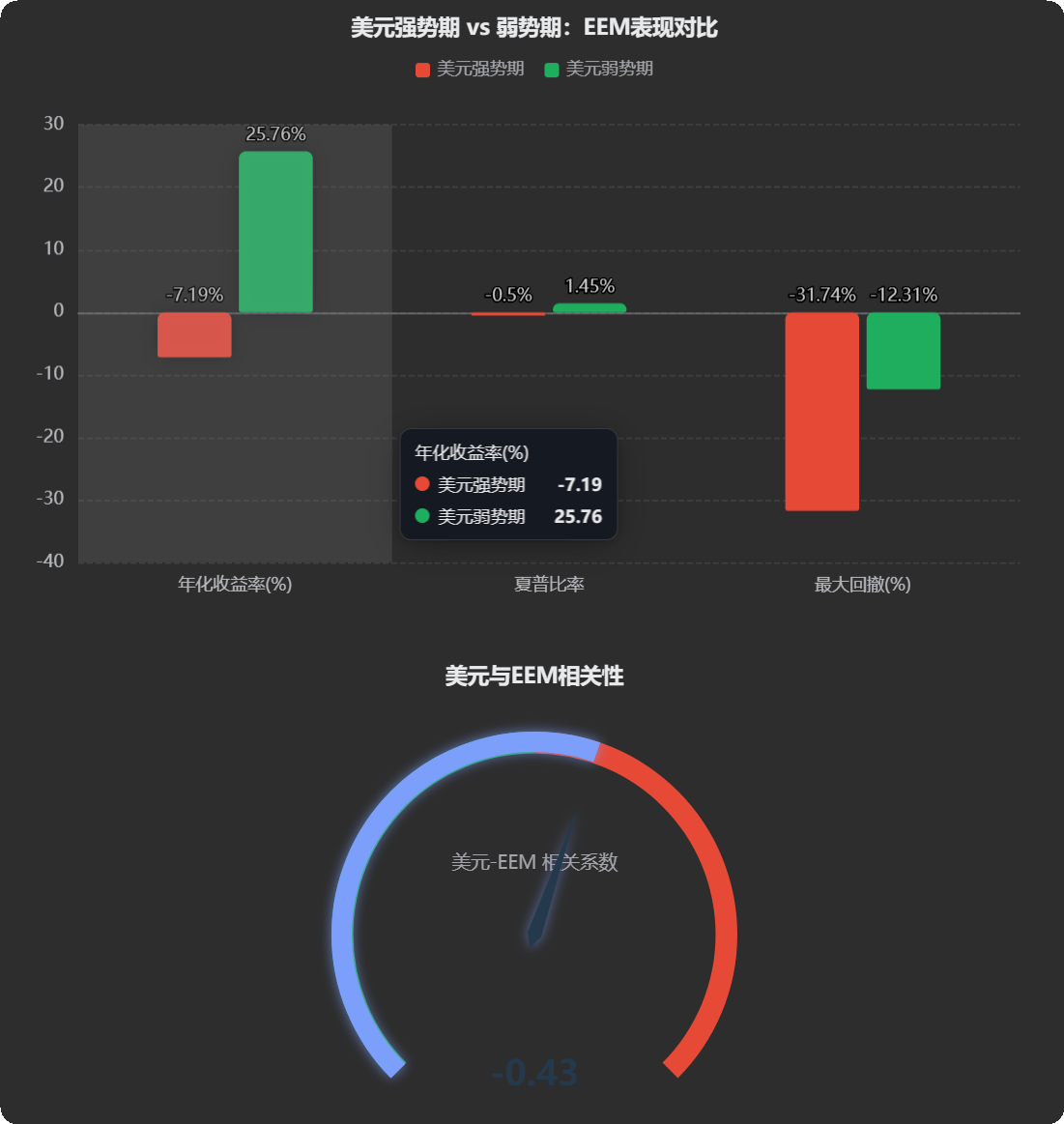
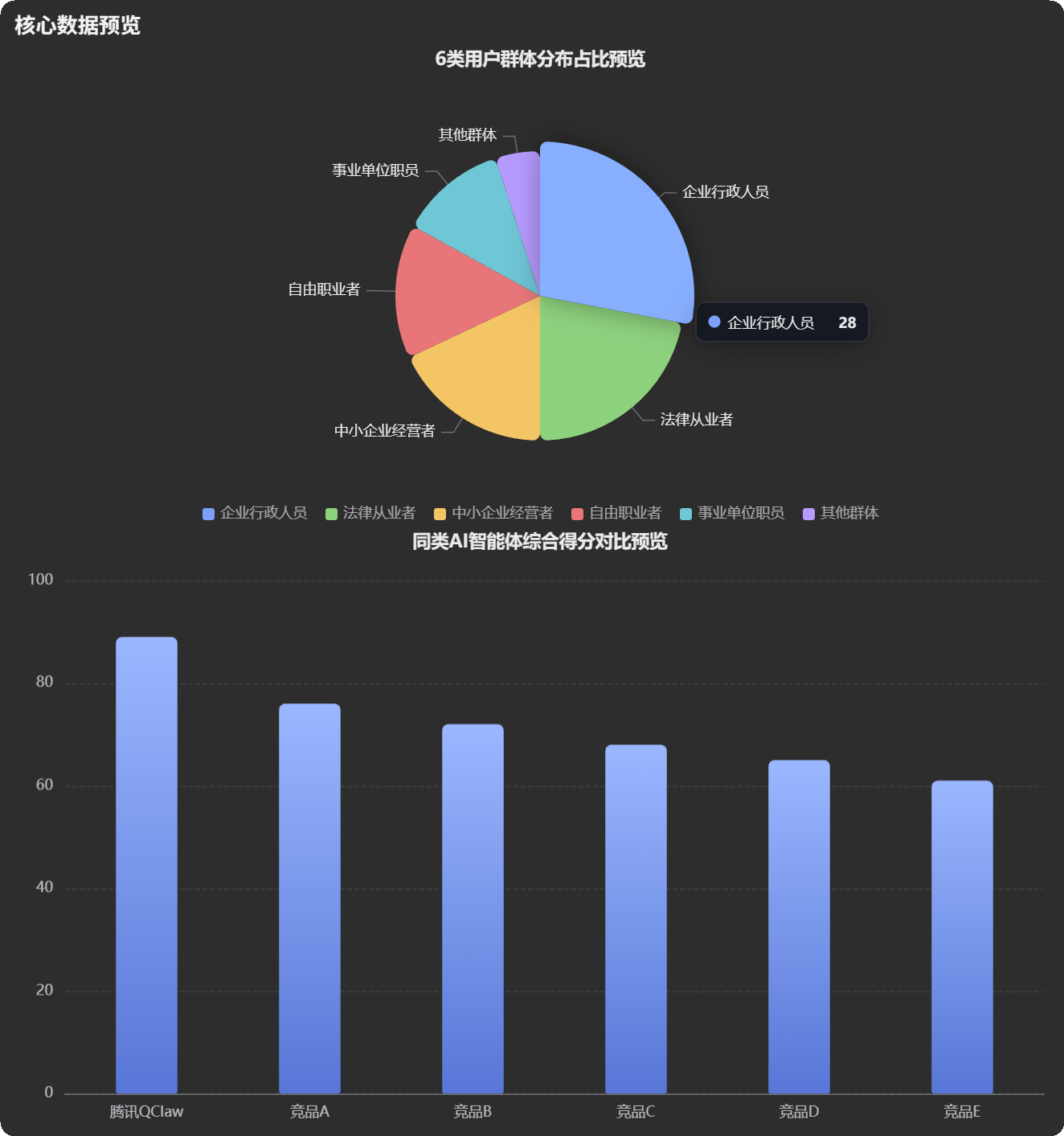
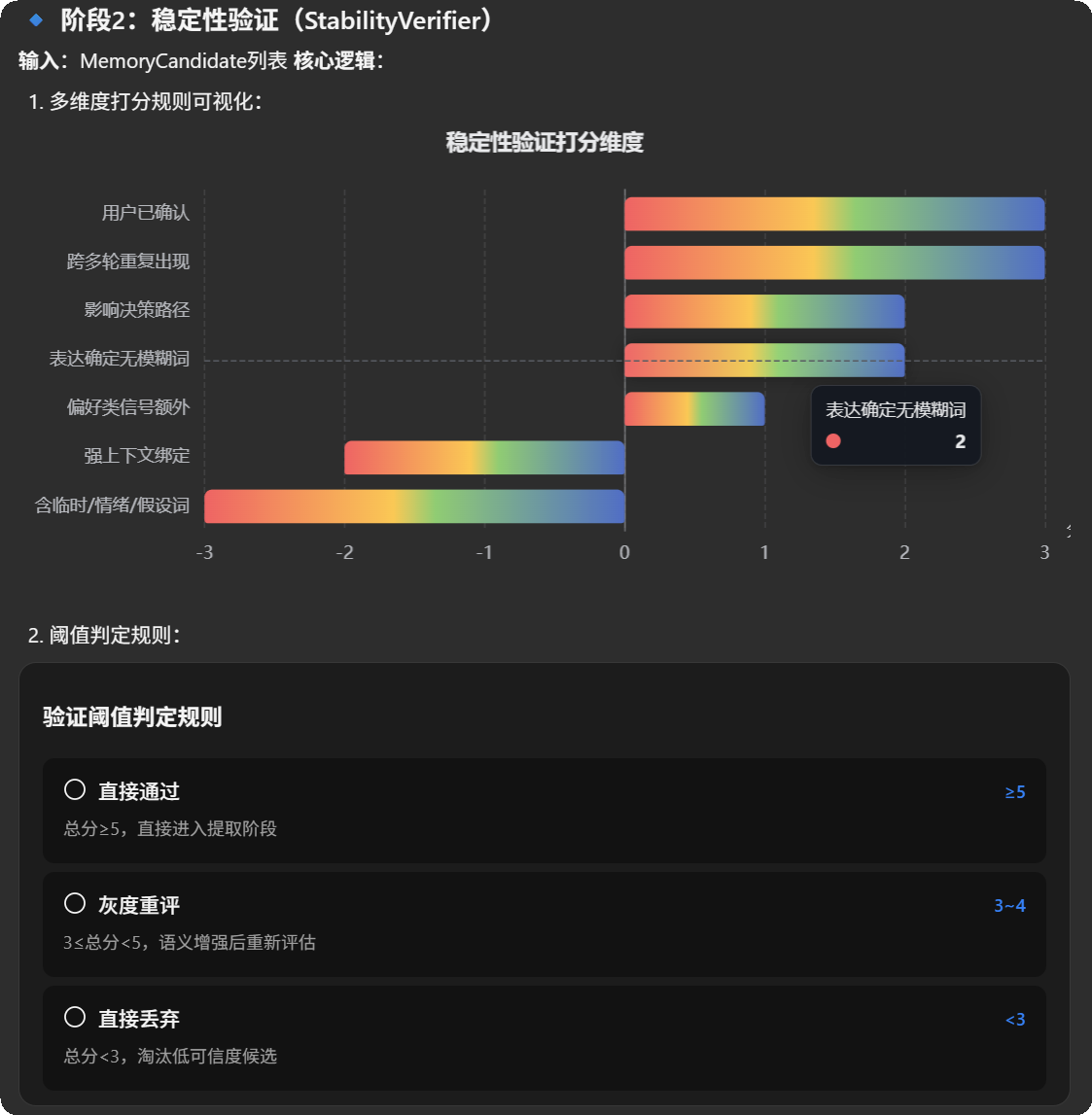
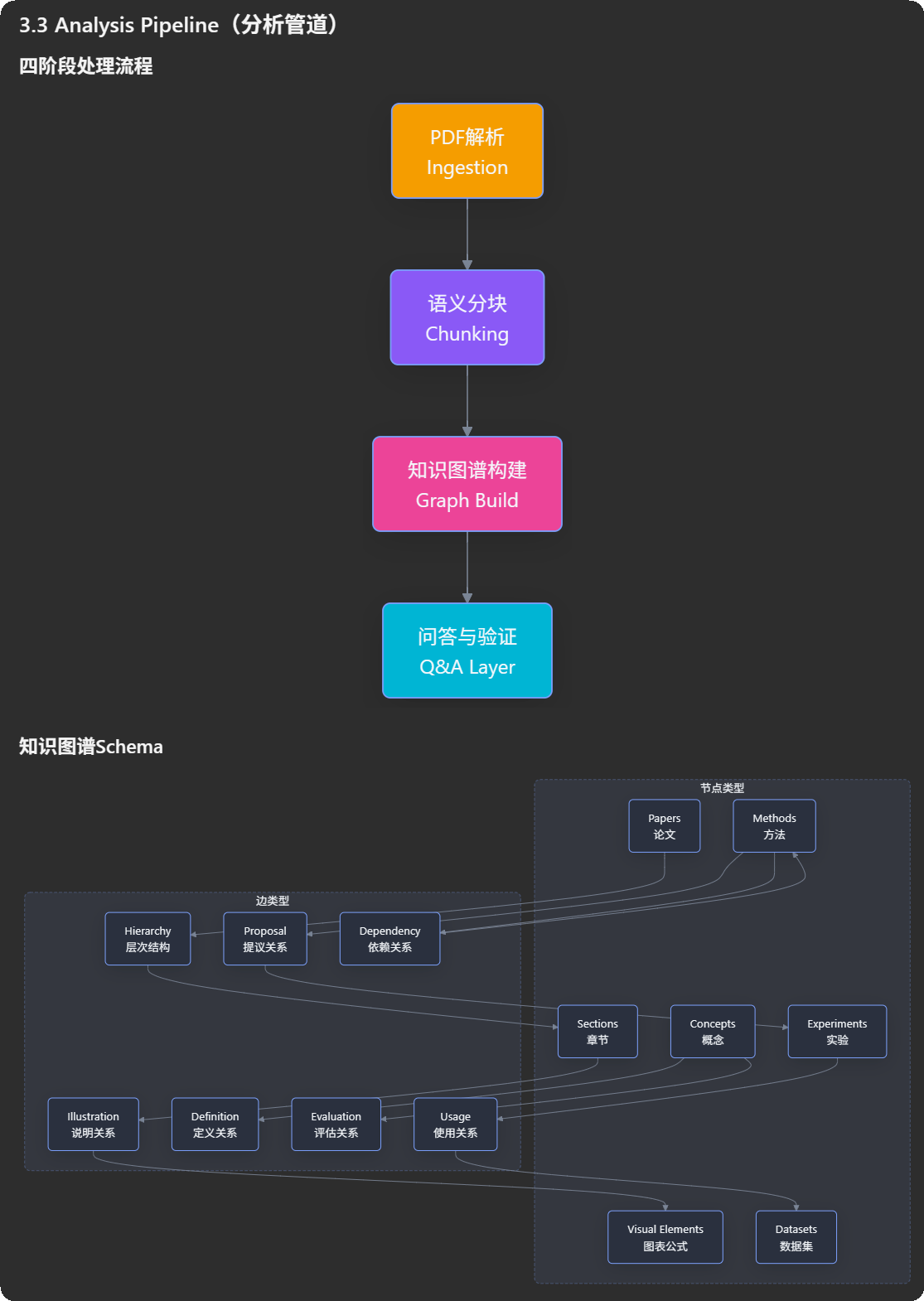
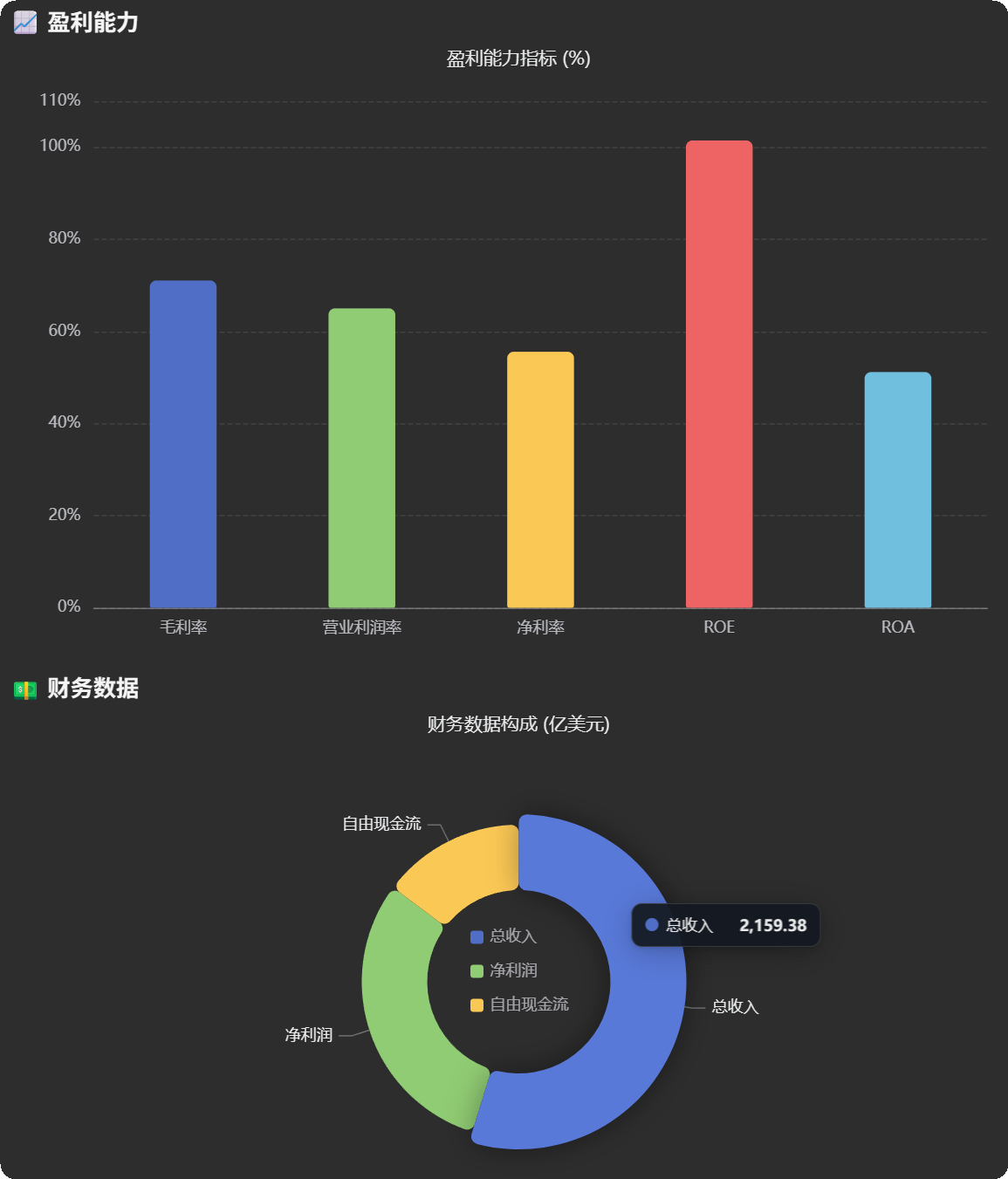
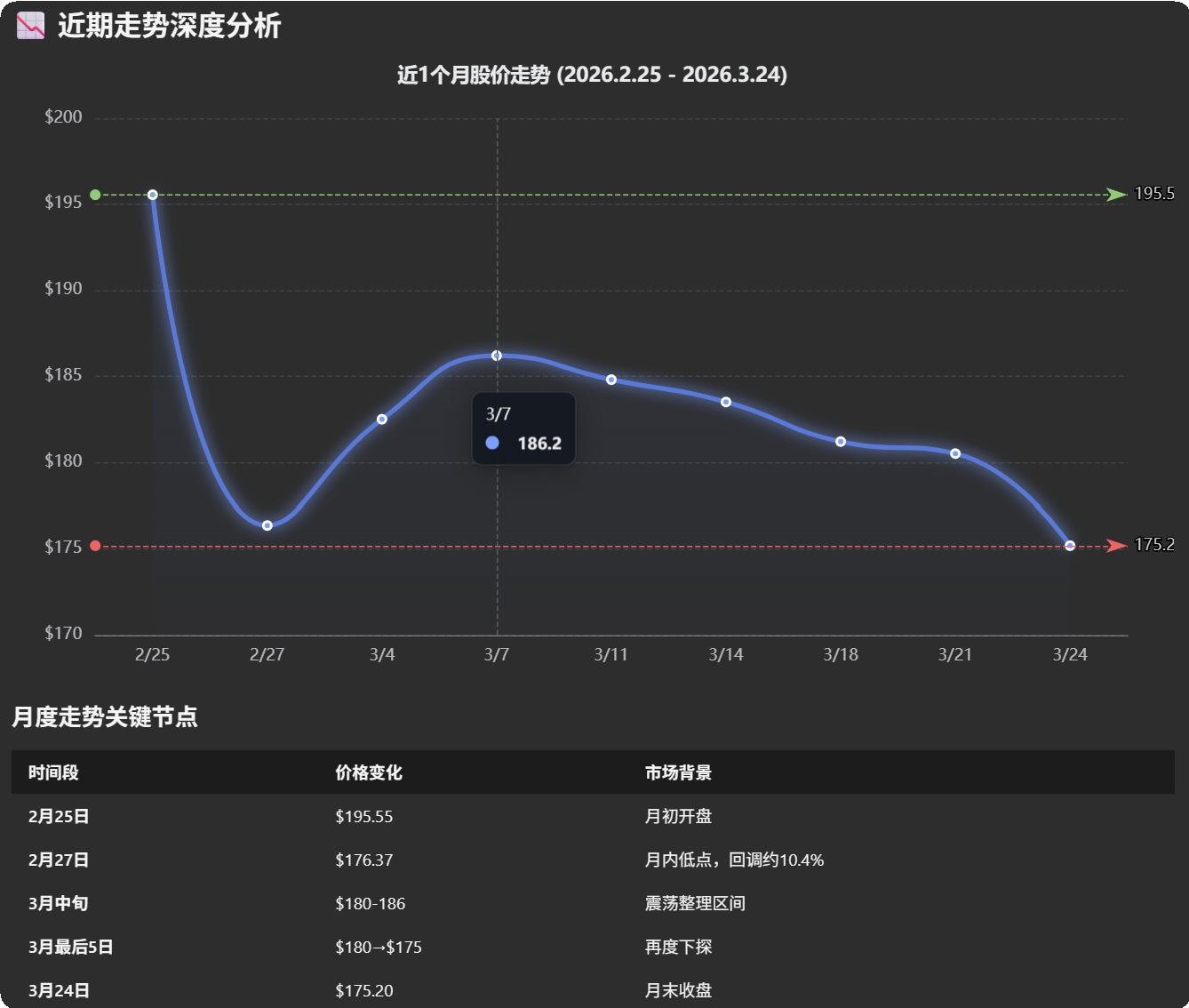
A four-level content matching engine based on an XML edit protocol works with Myers Diff to visualize changes down to each line. Review block by block, accept or reject everything, and roll back snapshots.
Create team workspaces through Hubs. Each Agent has independent context and capabilities; members can see each other but do not share memory. Users guide collaboration through @mentions, discussions, and task assignment instead of letting Agents communicate automatically - more control, less uncertainty.
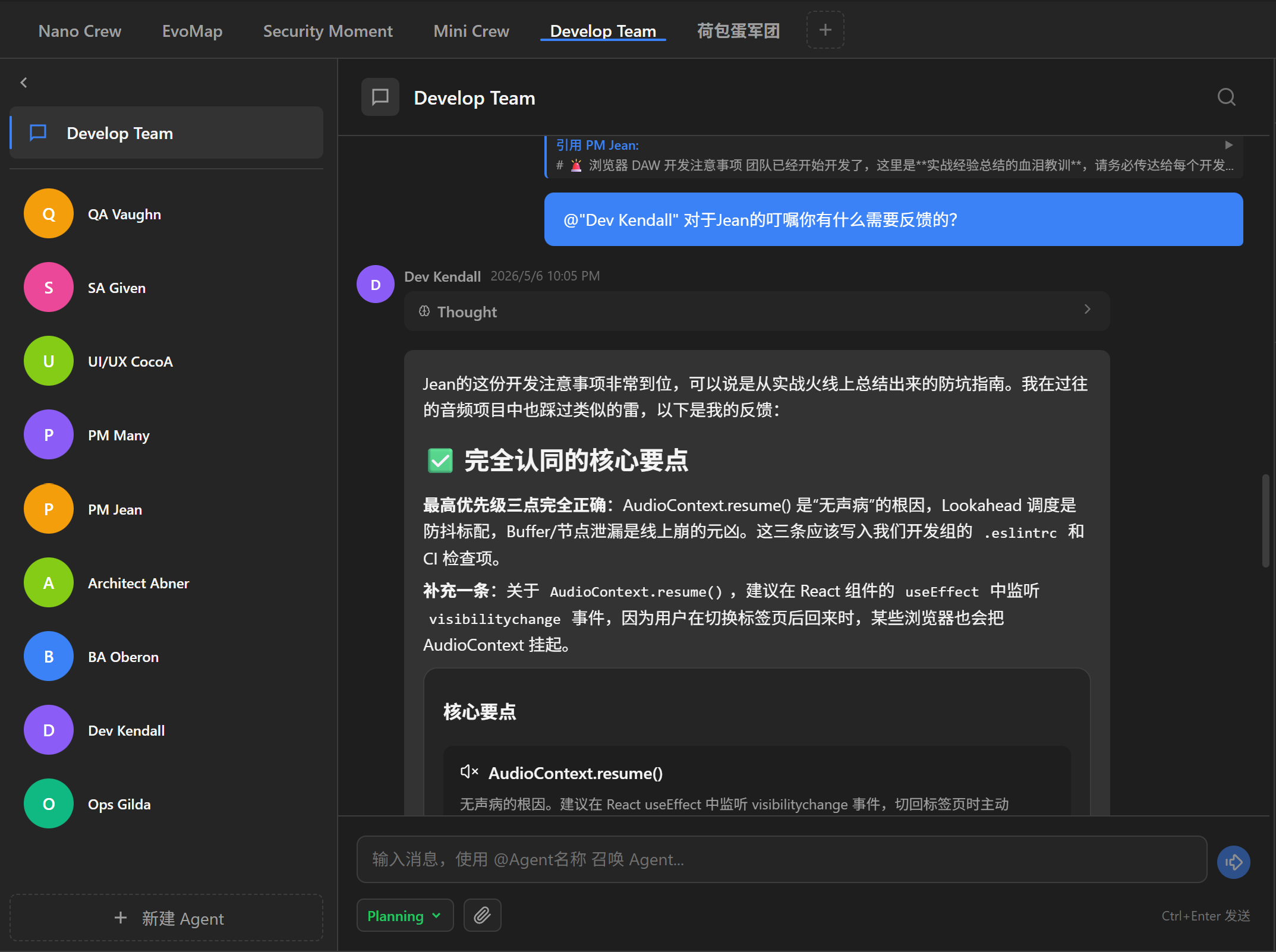
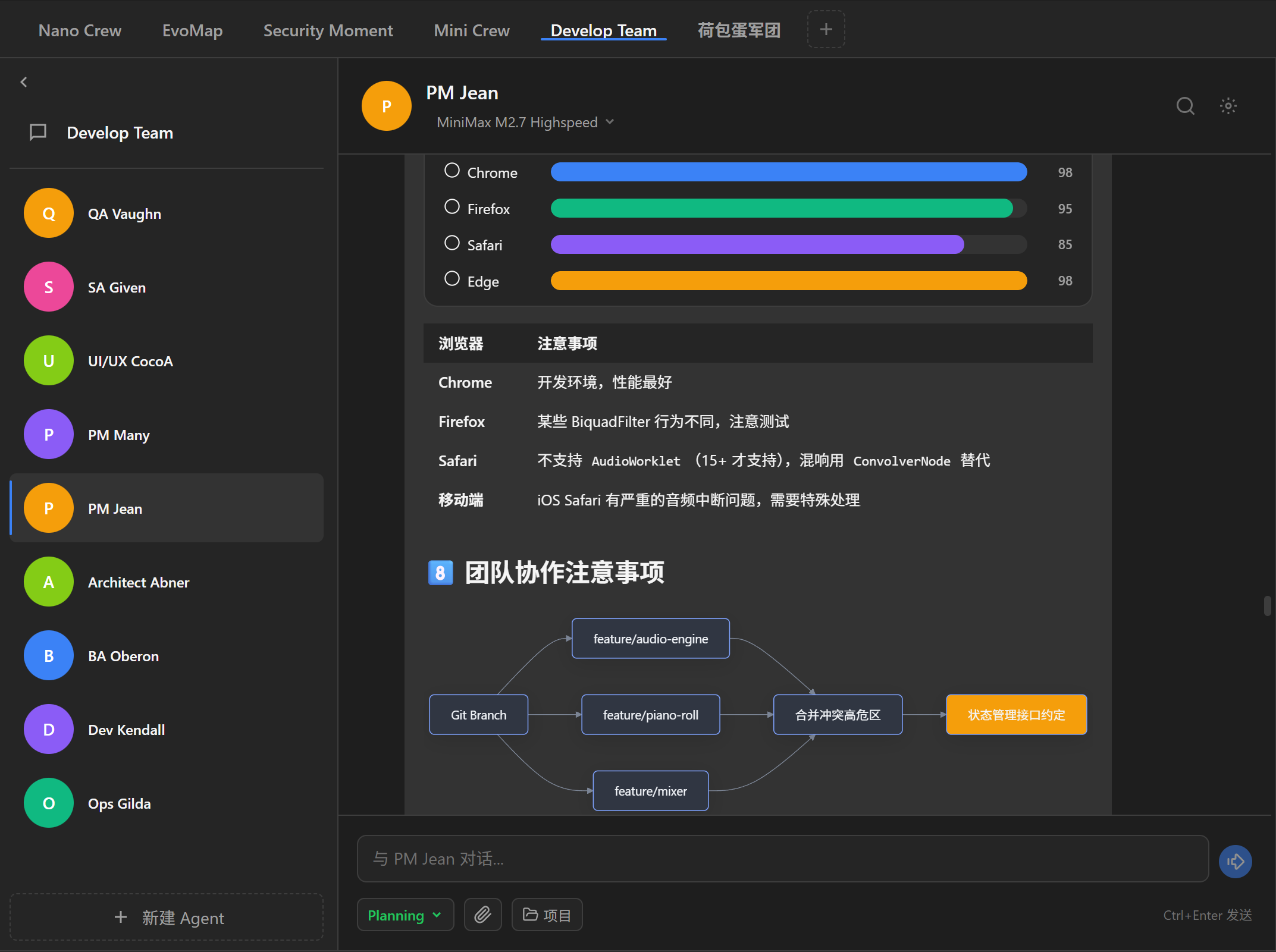
Create multiple Hubs from the top tabs. Each Hub is an independent team workspace with its own discussion area, where users can @Agent to start discussions and reference Agent-window conversations for cross-role review.
Agents do not share chat history. They know each other by name and workspace, but cannot access one another's conversation context. This prevents context pollution at the root and keeps each Agent independently focused on its own role.
You decide when, who, and what to discuss. Assign tasks to Agents, summon them into Hub discussions, let them reference one another for cross-review, and even allow Agents to inspect each other's work directories when needed.
Bind multiple Agents to the same project directory so they can work independently in their own windows on the same codebase. Open collaboration scope as needed - from isolated tasks to shared engineering work.
Create BA, Architect, and UX Agents, each working in its own window on requirements analysis, architecture design, and experience planning.
Architect generates an incorrect technical plan in an independent window, and the user corrects it from the Hub.
A Hub discussion gets stuck and needs a fresh perspective unaffected by the earlier debate history.
A three-tier memory architecture, Agent-Log, and layered context management let Agents maintain durable memory in the same conversation window, grow with the user, and stay aligned. Freely scheduled Skills and security review systems expand Agent capabilities safely.
Unlike binary approve / deny HITL gates, where an Agent pauses only at sensitive operations and shows Allow or Deny, AgentVis defense in depth gives HITL a new path: you can actively pause at any step of Agent execution, type a natural-language adjustment, and let the Agent continue in a new direction immediately.
Click pause and the Agent suspends as soon as the current tool call finishes. No predefined "sensitive operation list" is needed; when the direction feels wrong, pause with one click.
After pausing, type an adjustment such as "try another approach, do not use recursion" or "check the docs before editing". The Agent picks up your intent in the next LLM call and changes direction.
Your intervention is written to Task Artifact so every later SA round can see it. Even if Agents rotate, your intent is preserved.
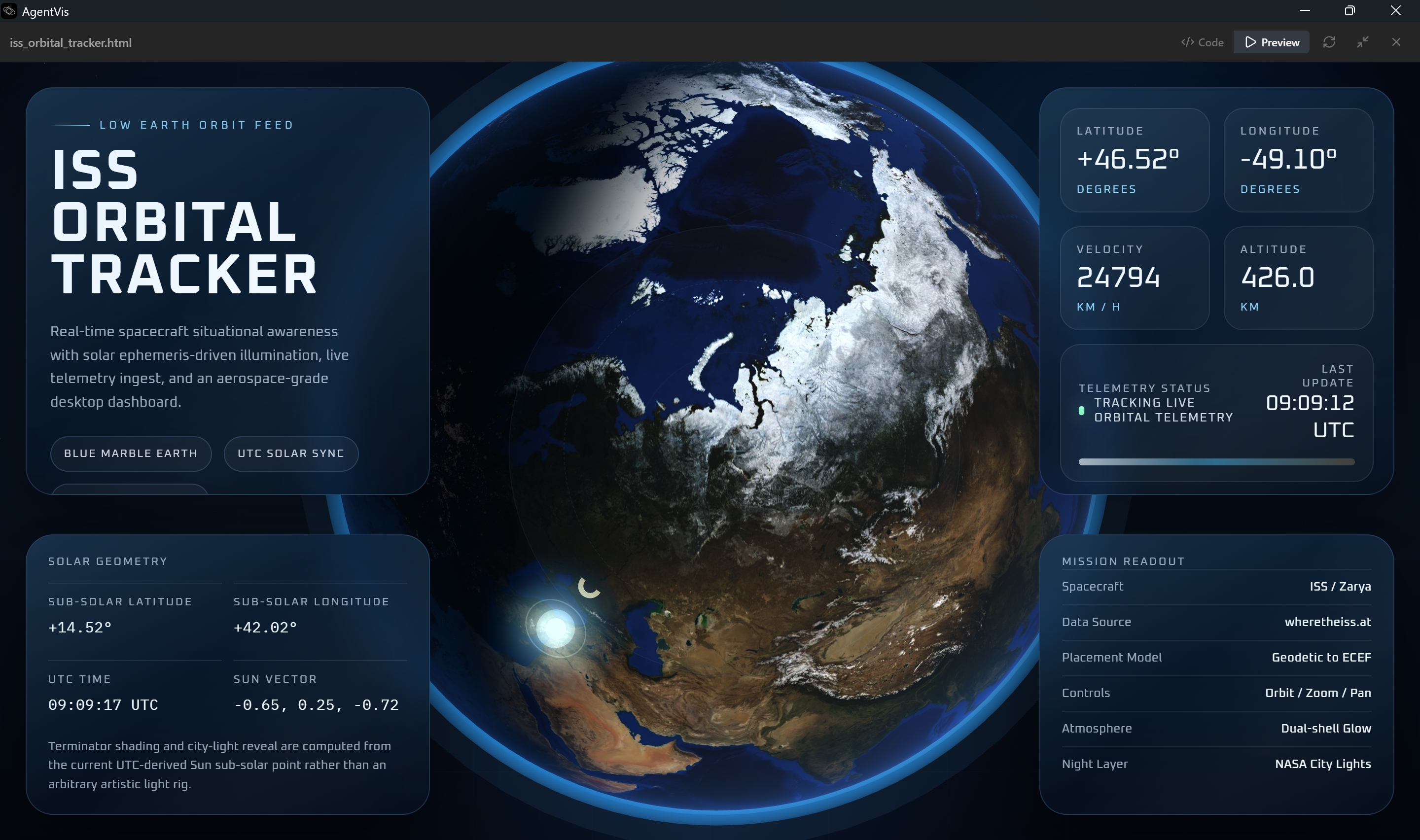
Vite Dev Server is embedded in the app so frontend projects generated by Agents render instantly. Windows Junction enables zero-cost dependency sharing, and Tailwind CSS is automatically downgraded when needed.
Send remote-computer tasks to Agents through Feishu or Slack, send messages back to users, and transfer local files. Built-in desktop and browser automation tools help Agents explore more local automation workflows.
Organized around the real onboarding path: Quick Start, Skills, sandbox security, and IM bot configuration. Run your first task chain first, then expand the Agent capability boundary step by step.
From first installation to model, cloud service, Skill dependency, Agent Settings, Knowledge, and workspace setup, quickly run your first task chain.
Read GuideLearn about global Skills, per-Agent Skill binding, choosing Skills with `/` in the chat input, Guide vs Script Skills, and common troubleshooting.
Read GuideUnderstand Local Audit, Controlled Network, and Offline Isolated modes, learn how to inspect Security Audit events, and handle common blocks.
Read GuideConfigure a Feishu custom app bot and a Slack App bot to turn IM messages into AgentVis tasks and send progress back.
Read GuideNo. After one-click installation, the system automatically creates the runtime environment and installs related dependencies. The first setup takes a moment. Then open the Settings panel find API Keys and Cloud Services, enter your API keys, then return to the main screen and create a Hub and Agent to begin collaborating with Agents. AgentVis includes practical Skills for browser and desktop automation, data scraping, GitHub lookup, arXiv paper search, news RSS, Yahoo Finance, email assistance, video-data analysis summaries, and HTML-to-PPT/PDF/DOCX/XLSX workflows. Agents can guide you through using them.
AgentVis is built on Tauri and runs 100% locally. All chat history, file operations, and memory data are stored on your local disk, with one-click backup and restore. They are not uploaded to any cloud server. API keys are encrypted through Windows Credential Credential Manager.
AgentVis supports OpenAI, Anthropic, Gemini, and providers or models compatible with their protocols, including Zhipu, MiniMax, DeepSeek, Xiaomi, StepFun, Agnes, Volcengine, OpenRouter, and more. You can also configure a local custom API endpoint, which will be routed to the matching compatible protocol. You can freely switch providers and models in Settings, add custom models yourself, or let an Agent add models for you.
No. AgentVis uses long-lived WebSocket connections to communicate with Feishu and Slack, so no public IP or reverse proxy is required. Configure Feishu or Slack bot credentials, then control Agents remotely from your phone. By default, each platform supports up to 10 bots connected to 10 Agents running remote tasks at the same time.
Yes. Describe what you need and let an Agent use skill-creator to write and install a Skill, then refresh the Skill list in Settings. If you import a local Skill package or paste a GitHub Skill package link, AgentVis starts a review. Before installation it runs an AI-driven seven- dimension security review. AgentVis is compatible with common Skill packages and provides two Skill modes. See the AgentVis Skills Guide for details.
The current version is a Windows desktop app. Tauri itself supports cross-platform builds, and macOS and Linux versions are planned.